
From Idea to App
in one afternoon
No code. No experience. Real app.
Created by Jed
Helping people build and launch their first app
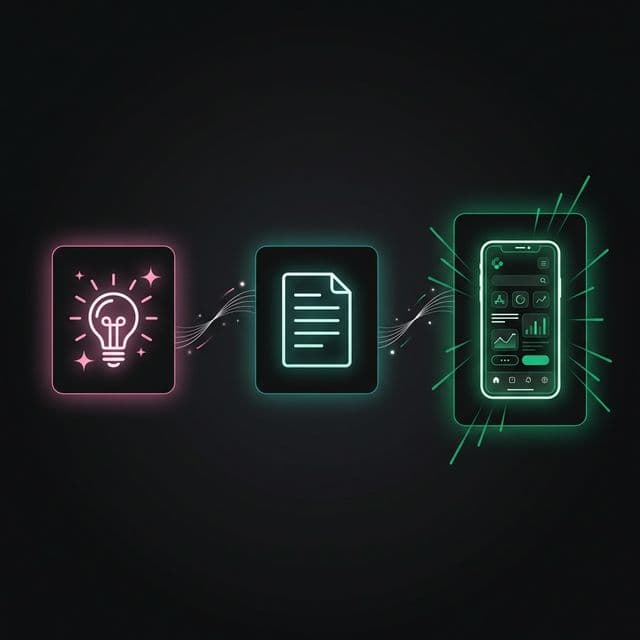
Here's what you'll build today
Turn any idea into a working app
Put it online for anyone to use
Install it on your phone
...all in one afternoon?
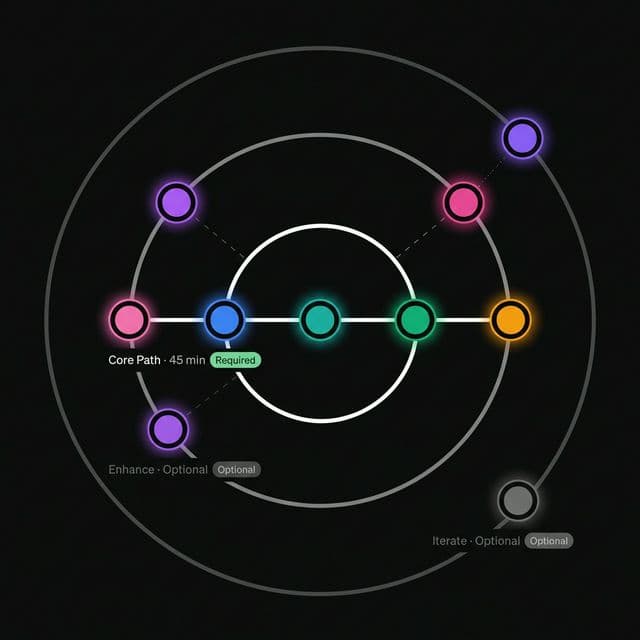
Choose Your Path
Not all stations are required. Pick the path that fits your time.
By the End, You'll Have
A Working App
Runs on any device with a browser
An App on Your Phone
Install it like a "real" app — no app store needed
A Live URL
Share with anyone: yourapp.vercel.app
What builders are saying
“Launched my first app in one afternoon.”
Jake
Teacher
“Finally turned my idea into reality.”
Maya
Designer
“No coding experience needed. Just followed the steps.”
Chen
Student
Before You Start
5-minute setup (one time only)

SPARK
What idea do you have?
The Three Questions
Before opening any tool, answer these:
WHO has this problem?
Example: "busy parents" or "university students"
WHAT is their frustration?
Example: "I always forget..." or "It takes too long..."
WHY would they use YOUR solution?
Example: "faster than..." or "easier than..."
Quick Idea Check
3 questions. 30 seconds. You'll know if your idea is ready.
The One-Liner
One sentence. That's all you need to start.
Copy and paste this into your tool
Fill in the [brackets] before sending to AI
Station 1 Complete!
SPARK — done
Safe to take a break. Your progress is saved.
Coming up next
💭 DREAM

DREAM
Write your idea in simple words
The Dream Prompt
Fill in the blanks. Paste into Gemini. Watch AI plan your app.
My app name: [your app name — e.g., "StudyBuddy", "ShopTrack", "DogWalk"]
Who it's for: [your user — e.g., "university students preparing for exams"]
Their problem: [what frustrates them — e.g., "they forget what they studied"]

The main thing it does: [one key feature — e.g., "send daily reminders"]
It should feel: [how it should feel — e.g., calm, fun, professional, playful]

Build this as a web app that:
• Works great on phones (mobile-first)
• Can be installed on the home screen (like a real app)
• Is ready to put online
Copy and paste this into your tool
Fill in the [brackets] before sending to AI
Station 2 Complete!
DREAM — done
Safe to take a break. Your progress is saved.
Coming up next
📄 STRUCTURE

STRUCTURE
AI creates a plan for your app
What is a PRD?
PRD = Product Requirements Document = A plan for your app (like a cooking recipe).
Cooking Recipe
- • What you need (ingredients)
- • Steps to follow
- • Picture of final dish
- • How many people it feeds
App PRD
- • What the app does (features)
- • How it works
- • What it looks like (design)
- • Who will use it
AI reads your idea and writes this plan for you. You don't write it yourself!


AI Not Working?
Common issues and quick fixes
"The AI is loading forever"
→ Wait 30 seconds. If still stuck, refresh the page and paste your prompt again.
"The plan looks too complicated"
→ That's okay! Focus only on "Features" and "Design" sections. The technical parts are for the AI later.
"The AI changed my idea too much"
→ Tell it: "Go back to my original idea. I want [paste your one-sentence idea]."
Be specific about what you want. If Gemini gets it wrong, tell it exactly what to change.
Station 3 Complete!
STRUCTURE — done
Safe to take a break. Your progress is saved.
Coming up next
🔍 ENHANCE

ENHANCE
Add real information to your app
The Content Prompt
AI does the research. You get real facts for your app.
My app is about: [topic — e.g., "home workouts", "Italian recipes", "dog training"]
My users are: [who — e.g., "beginners who want to exercise at home"]
I need: [number] real [items — e.g., "10 real workout routines", "15 authentic recipes"]

Please research and add real content to my app:
• Make it accurate (use real facts, not made-up examples)
• Format it to fit my app's layout
• Keep the language simple — my users aren't experts
• If you're unsure about a fact, say so (don't guess)

[PASTE YOUR APP PLAN (PRD) HERE — from Station 2, so the AI knows your app's structure]
Copy and paste this into your tool
Fill in the [brackets] before sending to AI
Station 4 Complete!
ENHANCE — done
Safe to take a break. Your progress is saved.
Coming up next
✨ BUILD

BUILD
AI creates your app
Choose Your Tool
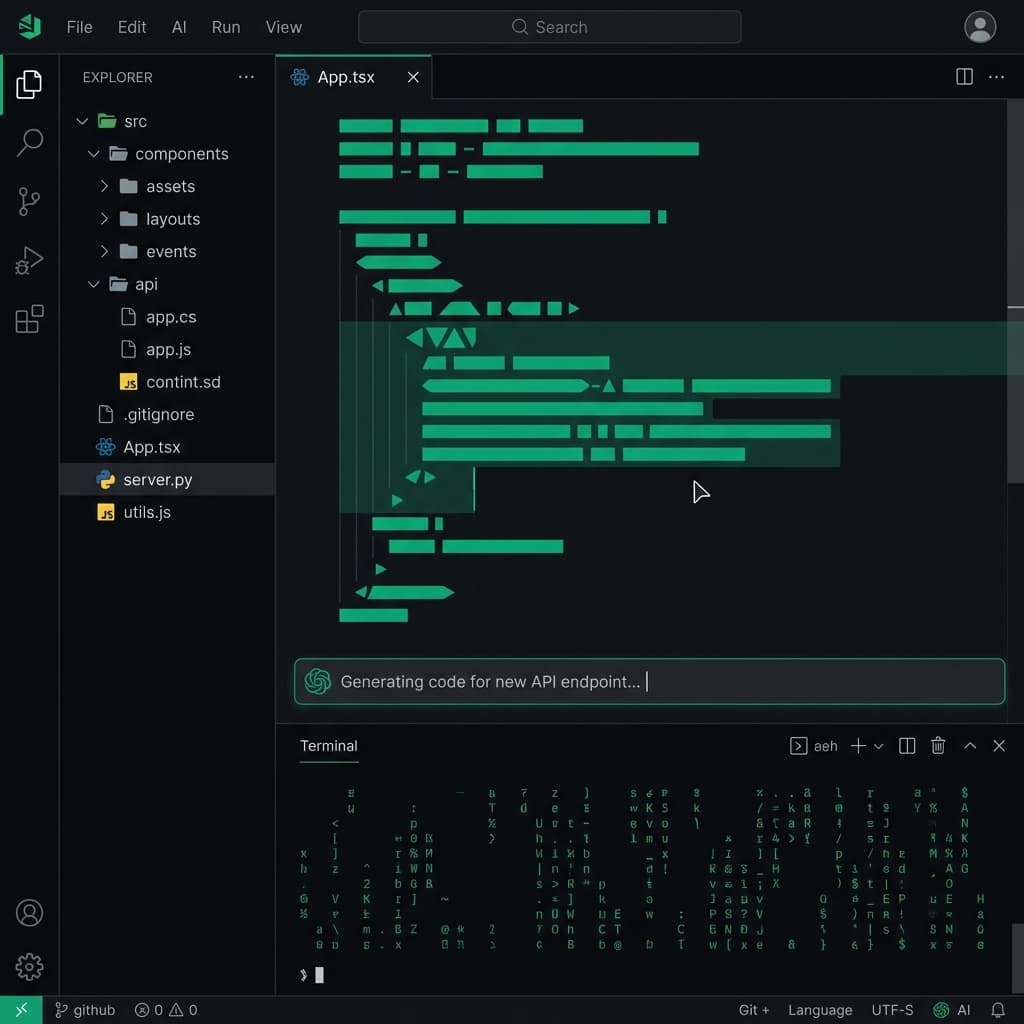
Antigravity
Best for: Everyone
The easiest way to start
Claude Code
For advanced users
Cursor
If you already code
The Magic Prompt
Copy. Paste. Watch your app appear. (Yes, really.)
[PASTE YOUR APP PLAN (PRD) HERE — from Station 2]

You are an expert app builder. I'm giving you my app plan — build it exactly as described.

Make it:
• Look beautiful and professional (first impressions matter)
• Work perfectly on phones (most people will use it on mobile)
• Feel smooth and fast (no blank screens, no waiting)
• Ready to put online with one click

Build it now.
Copy and paste this into your tool
Fill in the [brackets] before sending to AI
The SOS Prompt
Error? Paste the red text and let AI fix it.
Copy and paste this into your tool
Fill in the [brackets] before sending to AI
Station 5 Complete!
BUILD — done
Safe to take a break. Your progress is saved.
Coming up next
🎨 DESIGN
Your App Works!
You went from an idea to a real, working app. That's the hardest part — and you did it.
Optional — your app already works. Keep going only if you want to.

DESIGN
Make your app beautiful
Make It Look Professional
Good colors and fonts make your app feel trustworthy
🎨 Colors
- • Pick 3 to 5 colors that feel right
- • One main color for buttons
- • Light and dark backgrounds
🔤 Fonts
- • One font for headings
- • One font for regular text
- • Keep it readable on phones
Ask your AI: "Suggest colors for a [calm/energetic/professional] app."
The Color Prompt
Get a pro color palette in 30 seconds.
My app is a: [type — e.g., "fitness tracker", "recipe collection", "study helper"]
My users are: [who — e.g., "busy parents", "college students", "small business owners"]
I want it to feel: [how it should feel — e.g., calm, bold, playful, professional, modern]
Current colors: [what you have now — e.g., "mostly gray and blue" or "no colors yet"]

Please suggest:
1. A color palette (3–5 colors that work together)
2. What to use each color for (buttons, backgrounds, text, accents)
3. Make sure text is easy to read on every background
Copy and paste this into your tool
Fill in the [brackets] before sending to AI
The Reality Check
App doesn't look right? This fixes that.
Copy and paste this into your tool
Fill in the [brackets] before sending to AI
Station 6 Complete!
DESIGN — done
Safe to take a break. Your progress is saved.
Coming up next
🚀 SHIP
Looks Professional!
Your app has custom colors, fonts, and a polished design. It's ready to show people.
Optional — you can share the preview link already.

SHIP
Put your app online
Save Your App to the Cloud
Like Google Drive, but for your app

The Easy Way: Click to Save
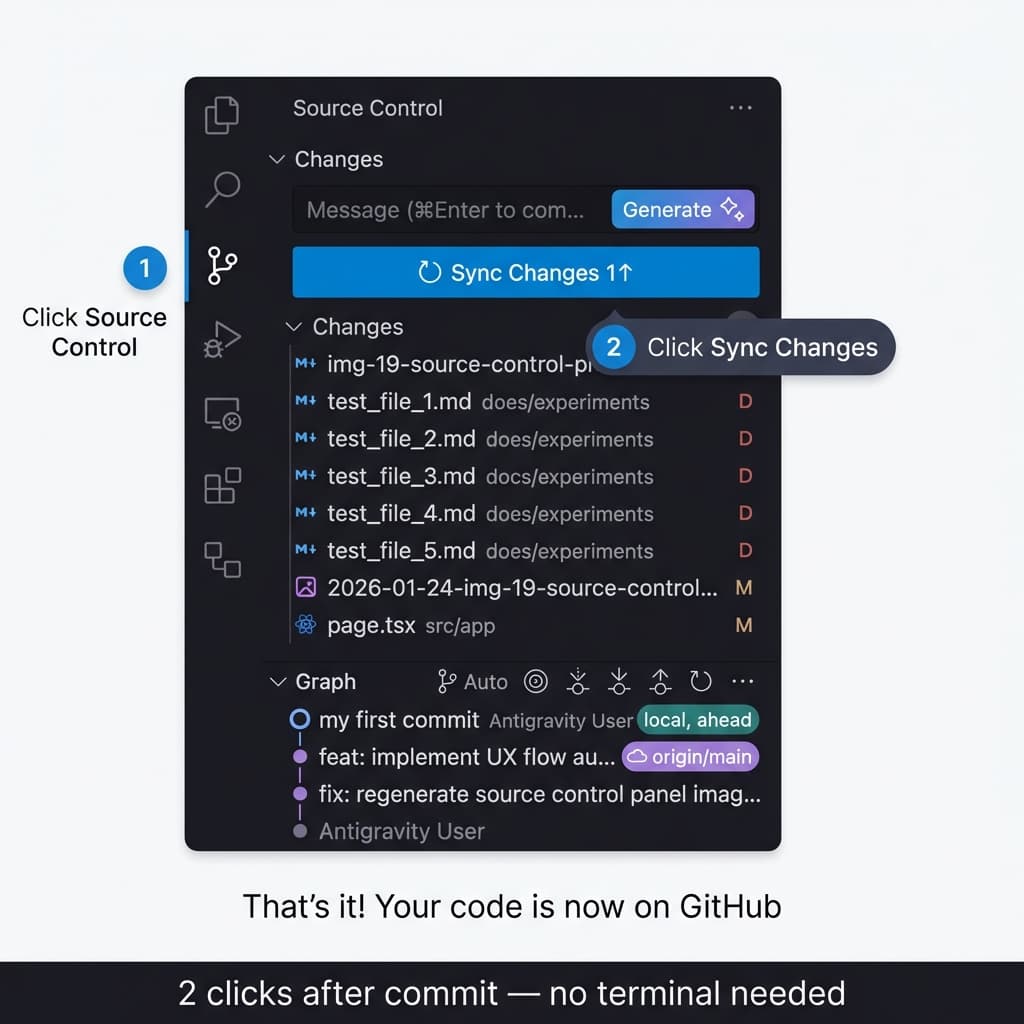
The Pro Way: One Sentence
"Create a private GitHub repository called 'my-first-app' and save all my files there"
Works in Antigravity and Cursor — same buttons, same flow.
Can you see your project on GitHub?
github.com/yourname/my-first-appSomething Not Working?
"Authentication required" (means: sign in)
→ Click the link in the message. It will open GitHub sign-in. After signing in, try again.
"Repository already exists" (means: a project with this name is already saved)
→ Pick a different name. Add a number: "my-app-2" or "my-first-app-v2".
"Permission denied" (means: you're not signed in)
→ Open github.com in a new tab. Look for your profile picture in the top-right. If you don't see it, click "Sign in".
"Vercel deploy failed"
→ Click "View Build Logs" on Vercel. Copy the red error text and paste it to your AI tool to fix.
What Does Vercel Do?
Like a factory that turns your project into a live website.
Your Project
Vercel
Live!
YOUR APP IS LIVE!
Tell the world!
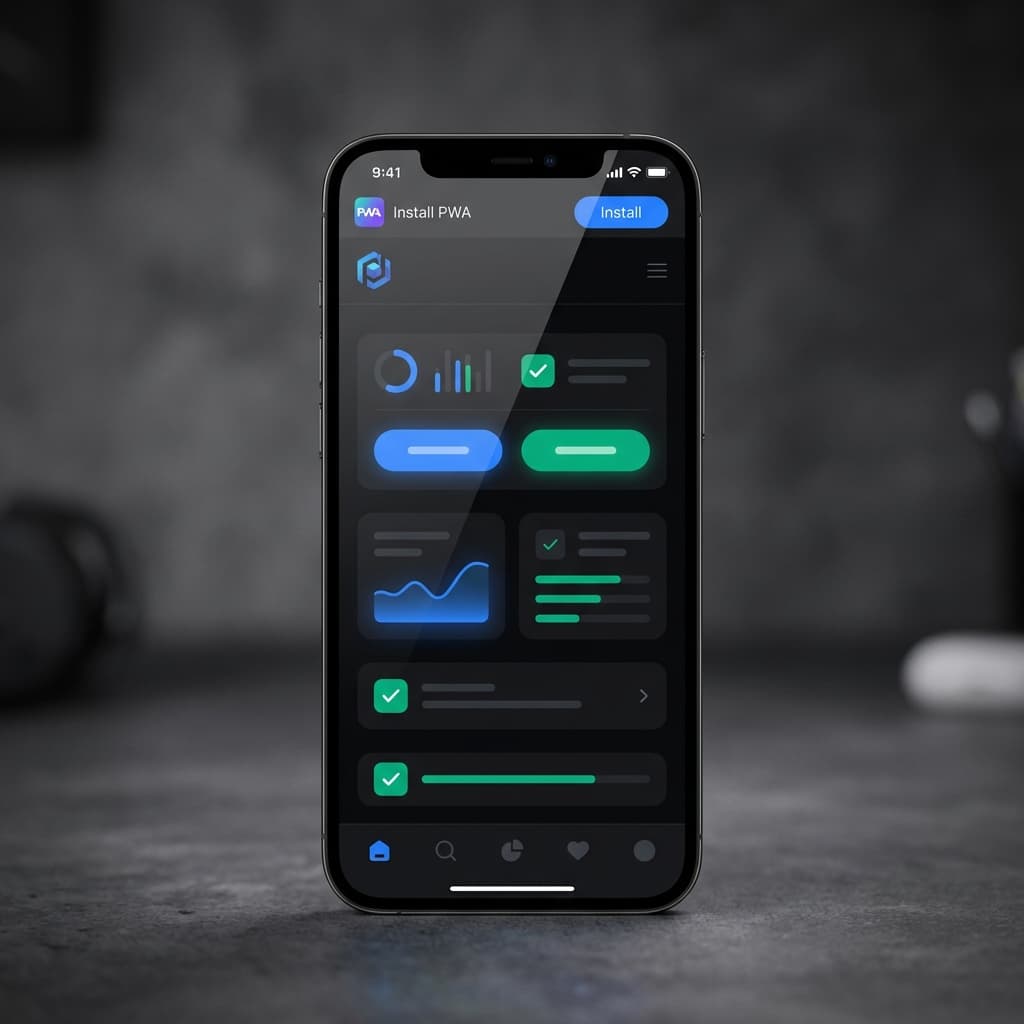
What is a PWA?
Progressive Web App = A website that works like a phone app.
Station 7 Complete!
SHIP — done
Safe to take a break. Your progress is saved.
Coming up next
🔄 IMPROVE

IMPROVE
Improve based on feedback
Get Feedback, Get Better
Real users show you what to fix next
Share
Send your link to 3 to 5 people
Listen
Ask: "What confused you?"
Fix
Pick ONE thing to improve
Key skill: Small fixes add up. Improve one thing at a time.
The Feedback Sorter
Turn messy feedback into a clear list of actions.
Feedback I received:
[paste what people told you — texts, messages, notes, anything]

My app currently: [one sentence about what it does now]

Please:
1. Sort this feedback into groups (what's related?)
2. Find the easy improvements (small changes, big difference)
3. Find the bigger changes (need more work)
4. Pick the top 3 things to fix first
Copy and paste this into your tool
Fill in the [brackets] before sending to AI
The Update Prompt
Tell AI what to fix. One thing at a time. Nothing breaks.
Changes I want:
1. [first change — e.g., "make the header blue instead of gray"]
2. [second change — e.g., "add a back button on the settings page"]
3. [third change — e.g., "make the text bigger on mobile"]

Rules (these keep things safe):
• Make one change at a time (so we can catch problems early)
• Show me each change before moving on
• Keep the current design style (don't redesign anything)
• Don't break what already works
Copy and paste this into your tool
Fill in the [brackets] before sending to AI
Your Journey Checklist
Check off each station as you complete it
Total: ~1 afternoon
You just built and launched an app. That took real effort.
Get the Free Templates
Everything you need to start building — the $100 App Test (7 questions to validate your idea) and 3-Step Starter Kit.
Get Instant Access
- →The $100 App Test — 7 questions to validate your idea (PDF)
- →3-Step Starter Kit (PDF)
📦 Get the Toolkit
Magic Prompt, Quick Reference Card, 20 App Ideas
📊 Progress Tracker
Interactive checklist to track your journey
You just built and launched your first app with AI. Now go create something.
build.byjed.com